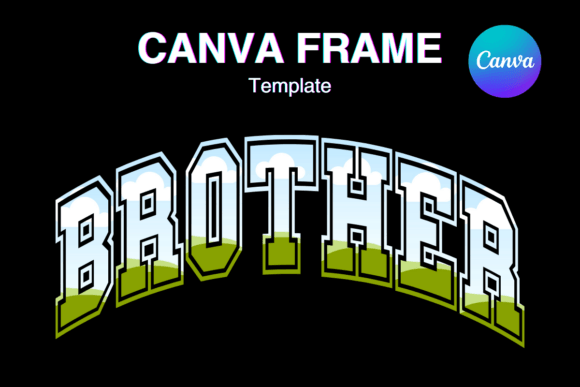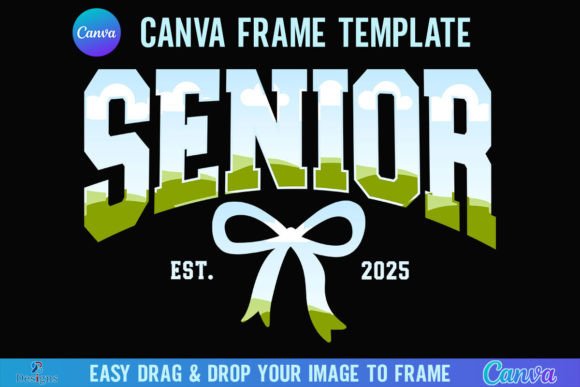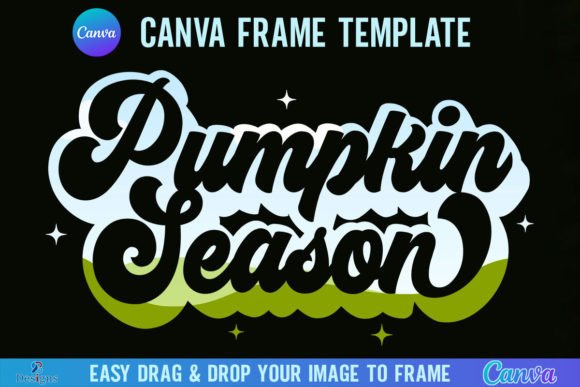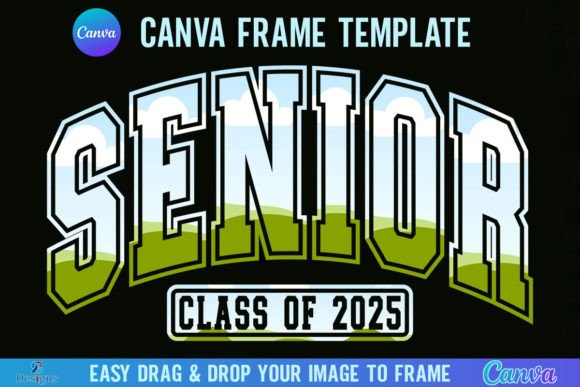
Senior 2025 Varsity Frame: Your Go-To Canva Template
Every year brings a new wave of high school seniors ready to celebrate their achievements, and as a designer or entrepreneur, you know the demand for graduation-themed design assets skyrockets. The Senior 2025 Varsity Canva Frame Template is designed specifically to meet this seasonal rush with a professional, polished solution. This isn't just a static image; it is a versatile digital tool intended to streamline your workflow. By providing a structured 4000x4000 pixel canvas, this template allows you to create high-resolution visuals suitable for everything from social media announcements to large-format printing. It bridges the gap between high-quality design and user-friendly accessibility, ensuring that whether you are a seasoned graphic designer or a small business owner looking to offer new services, you can produce results that look custom-crafted.
Unpacking the "Varsity" Aesthetic and Functionality
The term "Varsity" evokes a very specific visual language: think letterman jackets, bold typography, and a sense of athletic prestige mixed with academic achievement. This frame template captures that personality perfectly. It offers a structured border that mimics the look of a classic graduation photo frame but with a modern digital twist. The design is clean enough to be versatile, yet distinct enough to carry that celebratory "Senior 2025" weight. When you open the file, you will find two distinct versions included: Grouped and Ungrouped. This is a critical detail for efficiency. The grouped version keeps elements locked together, allowing you to move the entire frame as one unit, which is perfect for quick placements. The ungrouped version, however, is where the real creative work happens. It allows you to isolate specific parts of the frame—perhaps the corners or the border elements—and resize, recolor, or reposition them independently to match a specific client's brand identity.
The practical application of this template is incredibly straightforward. The core functionality relies on Canva’s native "frame" feature. If you have ever used a stock photo mockup in Canva, you already know how this works. You simply locate the frame, find a high-quality PNG or JPG background image—whether it is a senior portrait, a texture, or a graphic pattern—and drag it into the frame. The image automatically clips to the shape of the template. This "drag and drop" mechanic saves hours of manual masking and clipping path work that would traditionally be required in software like Photoshop. For content creators and marketers, this means you can produce a consistent series of graphics for an entire class of seniors without spending all day on tedious editing.
Strategic Applications for Designers and Entrepreneurs
Understanding where to deploy the Senior 2025 Varsity Canva Frame Template is just as important as knowing how to use it. This asset fits seamlessly into a variety of projects across the creative spectrum.
- Social Media Graphics and Digital Marketing: In the age of Instagram and TikTok, visual hierarchy is king. This frame creates an instant focal point for a portrait. Use it to create "Senior Sunday" posts, countdown stories to graduation day, or digital flyers for graduation parties. The frame provides the necessary structure to make the subject pop against a busy feed.
- Print-on-Demand and Merchandise: If you run a shop on Etsy or a local print service, this template is invaluable. You can create custom designs for t-shirts, tote bags, or mugs by framing a transparent PNG of a mascot or a specific year-date graphic. Because the canvas is 4000x4000 pixels, the resolution remains high even when scaled up for larger print runs.
- Editorial and Packaging Design: Think beyond just photos. Use the frame to structure text-heavy layouts for school newsletters, yearbook covers, or event programs. The "Varsity" style lends a cohesive look to the entire publication, reinforcing the brand identity of the school or event.
Design Considerations: Readability and Visual Hierarchy
While the template provides the structure, your success depends on how you manage the elements inside and around it. One of the most common mistakes with frame templates is overcrowding. The "Varsity" aesthetic often implies boldness, but that doesn't mean clutter. When placing your background image, pay attention to the visual hierarchy. The frame should enhance the subject, not compete with it. If you are overlaying text—such as the senior's name or graduation date—ensure there is enough contrast. A common technique is to use a semi-transparent overlay inside the frame or choose a background image with "negative space" (areas of low detail) where text can sit comfortably without sacrificing readability.
Furthermore, consider your font pairing. Since the frame has a "Varsity" vibe, it naturally pairs well with bold sans serif fonts for headers to maintain that athletic, modern look. However, to add a touch of elegance or personality, you might pair it with a script font for the senior's name. Avoid using overly decorative or handwritten fonts for small details, as these can become illegible when the design is viewed on smaller mobile screens. The goal is to create a balanced composition where the frame, the image, and the typography work together to tell a cohesive story.
Technical Workflow and Licensing Essentials
Before you dive into your project, there are a few technical and licensing checkpoints to cover. First, regarding the file format: you will receive a ZIP file containing a PDF. This PDF is your gateway; clicking the link inside will direct you to Canva. Remember, you must have a free Canva account to access and edit the template. This is a low barrier to entry, making it accessible for hobbyists and small business owners alike.
However, there is a crucial distinction regarding file exports. If you need the final design to have a transparent background—for example, to place the framed image onto a complex website background or a textured paper stock—you will need a Canva Pro account (or higher). The free version of Canva does not support transparent PNG exports. If you are working with clients who require layered files for professional printing, this is a necessary consideration.
It is also vital to understand what this product is not. This is a digital product only; no physical frames will be shipped. It is a Canva Frame Template file. It is not an SVG file, which means it is not suitable for use with Cricut Design Space or Silhouette cutting machines. If you are a crafter looking to cut physical vinyl or cardstock shapes, this specific template will not function in those ecosystems. It is strictly for digital design and print layouts. By keeping these technical limitations in mind, you ensure a smooth workflow and set realistic expectations for your final output, allowing you to deliver professional, high-quality designs that celebrate the graduating class of 2025.